
matthew_eli
-
Posts
7 -
Joined
-
Last visited
-
Days Won
1
matthew_eli's Achievements

Newbie (1/5)
2
Reputation
-

Entware Scripts for Keenetic router
matthew_eli replied to matthew_eli's question in Community Support & Knowledge Exchange
Hi @Alex88 Have you followed this guide: https://support.keenetic.com/titan/kn-1812/en/20980-installing-the-entware-repository-on-a-usb-drive.html ? Anyhow, if you want, we can talk in my telegram group: https://t.me/+V0I63qd9VSs5OTNk And maybe find a solution together -
Hello everyone, I have a question regarding the integration between Keenetic firmware components and Entware. I have installed the "Kernel modules for Netfilter" component from the Keenetic system settings (OPKG list). I can see that modules like xt_recent and xt_multiport are present in /lib/modules/. However, I am unable to use these features with iptables from Entware. When I try to install the required userspace extensions: opkg install iptables-mod-ipopt iptables-mod-conntrack-extra I get an "Unknown package" error. It seems these packages are missing from the Entware repository for my architecture (aarch64-k3.10). Since the kernel modules are already present in the firmware, is there a way to make them work with Entware's iptables? I need to use advanced matching features (like dynamic lists with recent) but I currently get "No chain/target/match" errors due to the missing libraries. Thanks for any advice.
-
Entware Scripts for Keenetic router
matthew_eli replied to matthew_eli's question in Community Support & Knowledge Exchange
If anyone wants to try these tools, I made a script to help you installing/managing all of them: https://github.com/mattheweli/KeenTool/tree/main -
Entware Scripts for Keenetic router
matthew_eli replied to matthew_eli's question in Community Support & Knowledge Exchange
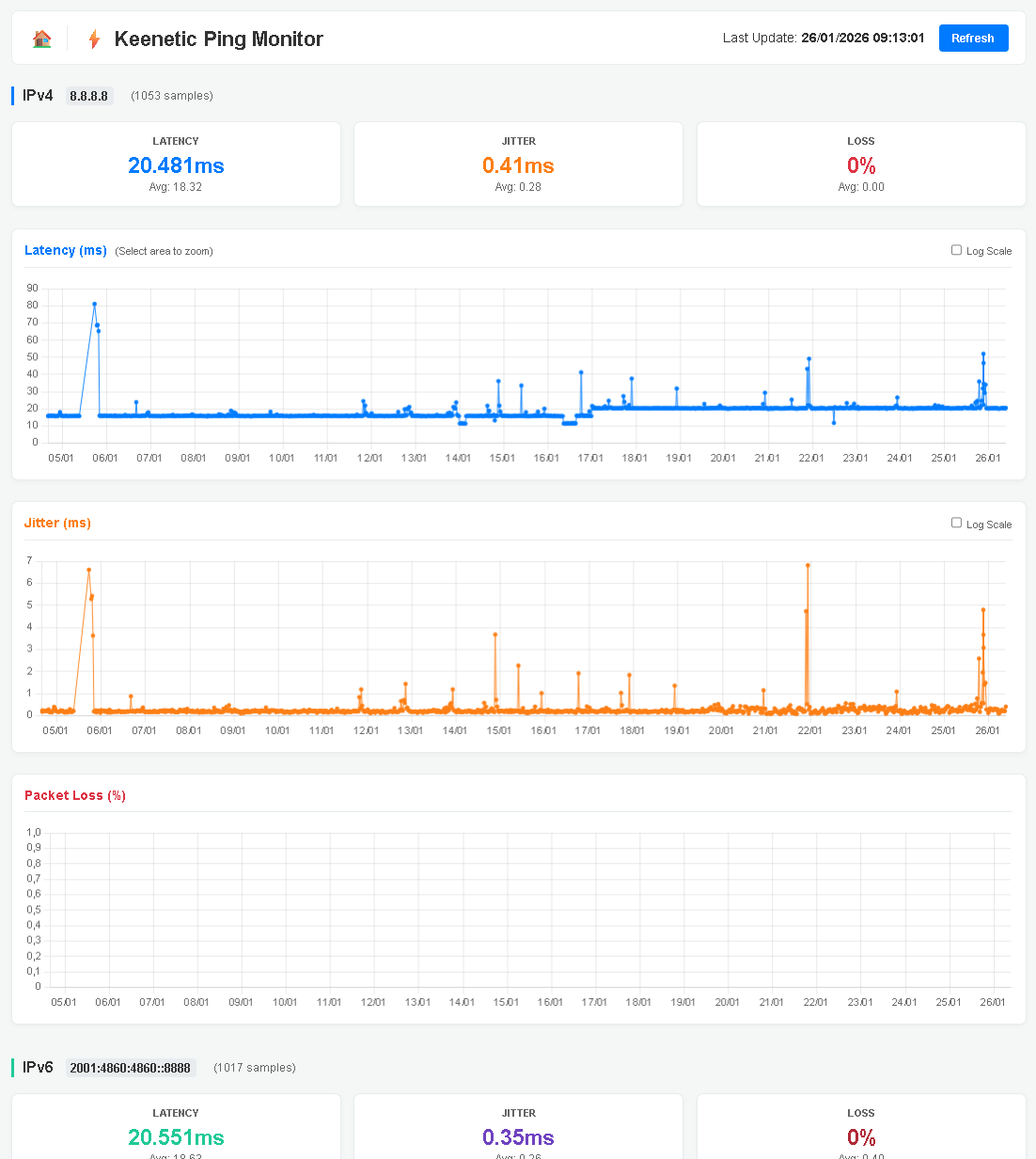
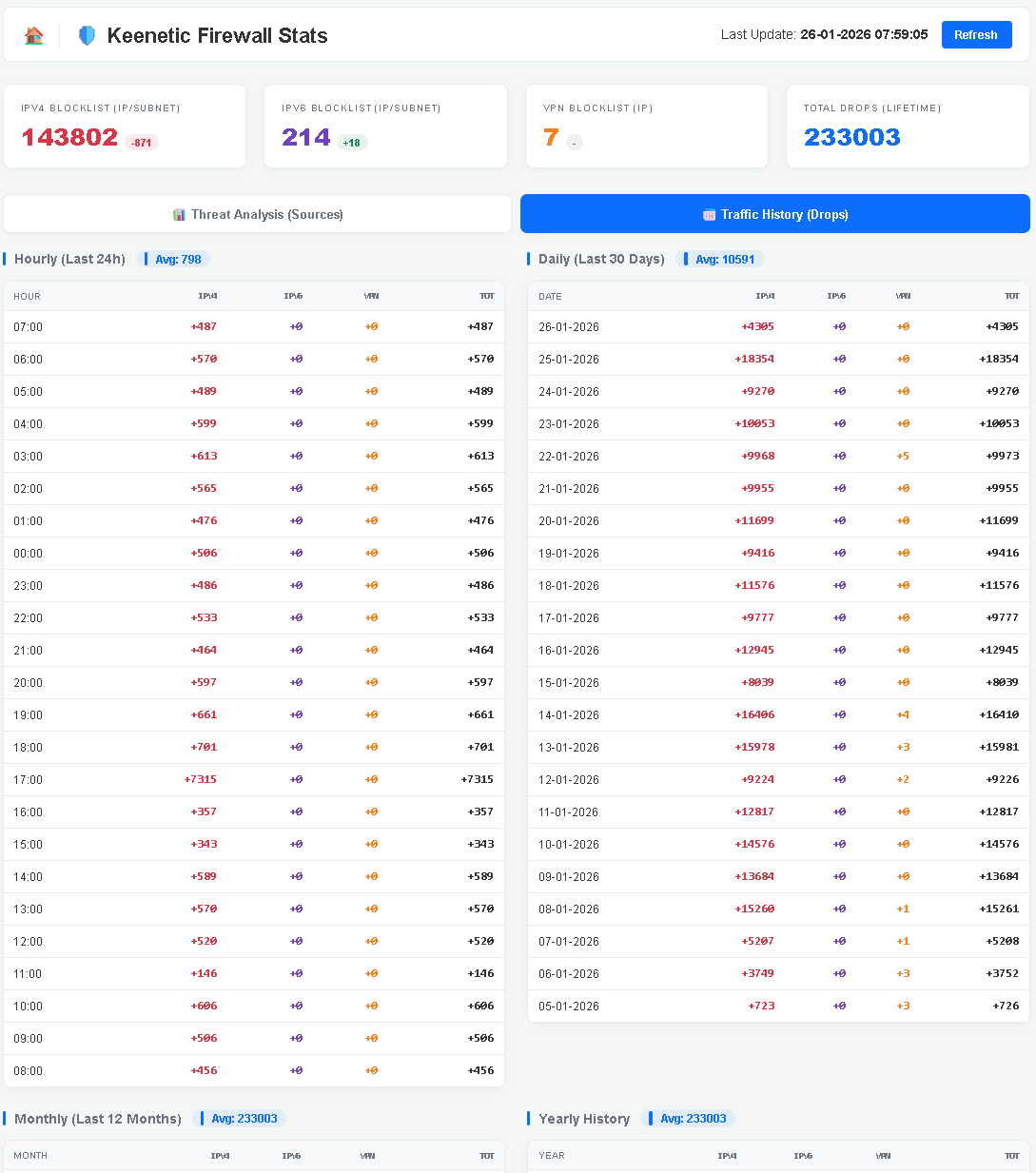
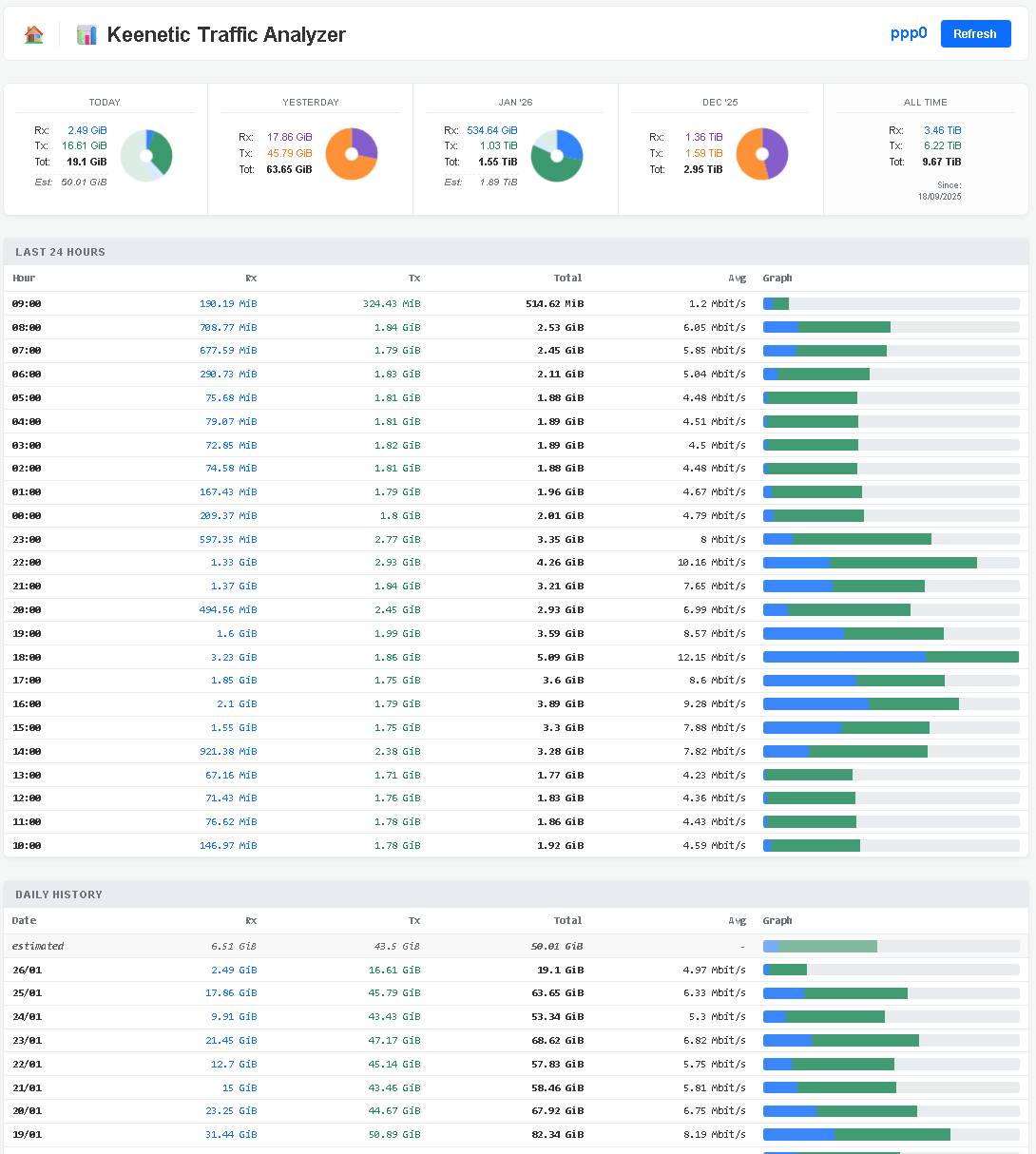
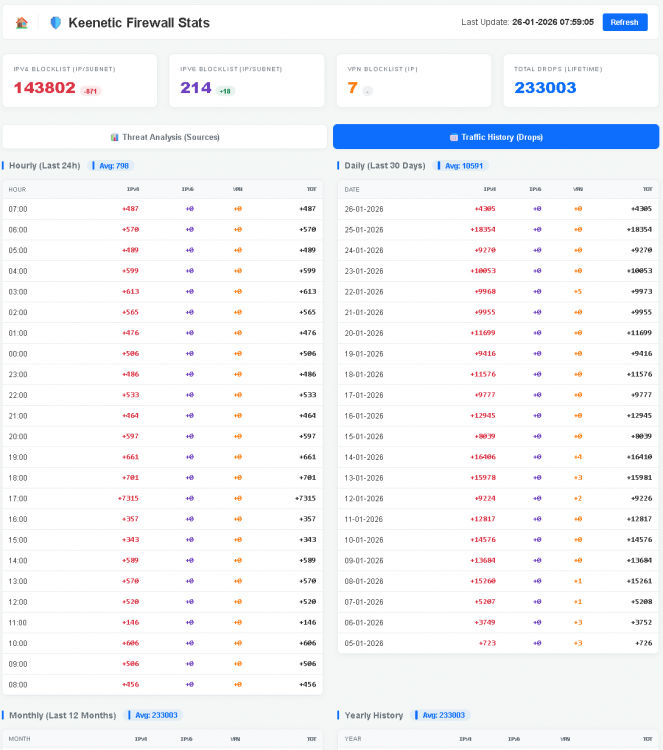
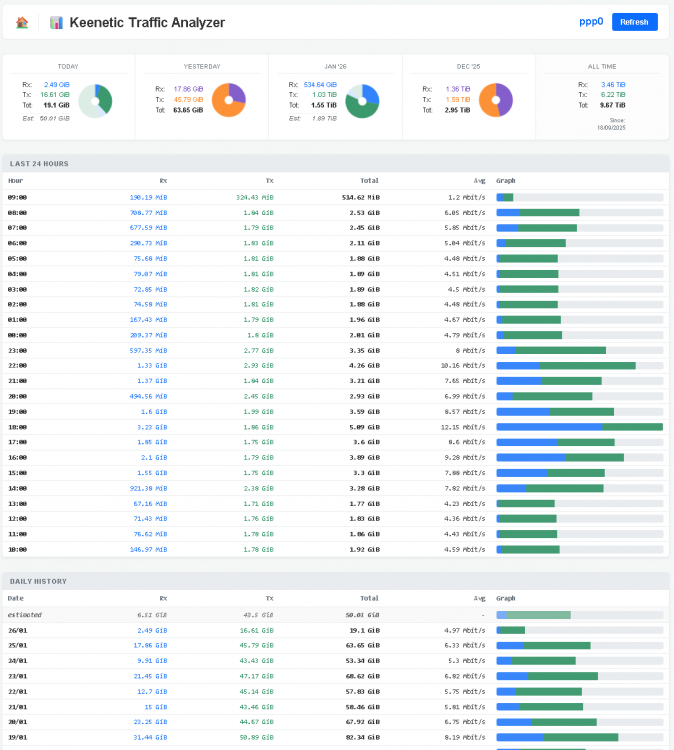
This is how they look like (latest version, not yet public): If you want to discuss more: https://t.me/+V0I63qd9VSs5OTNk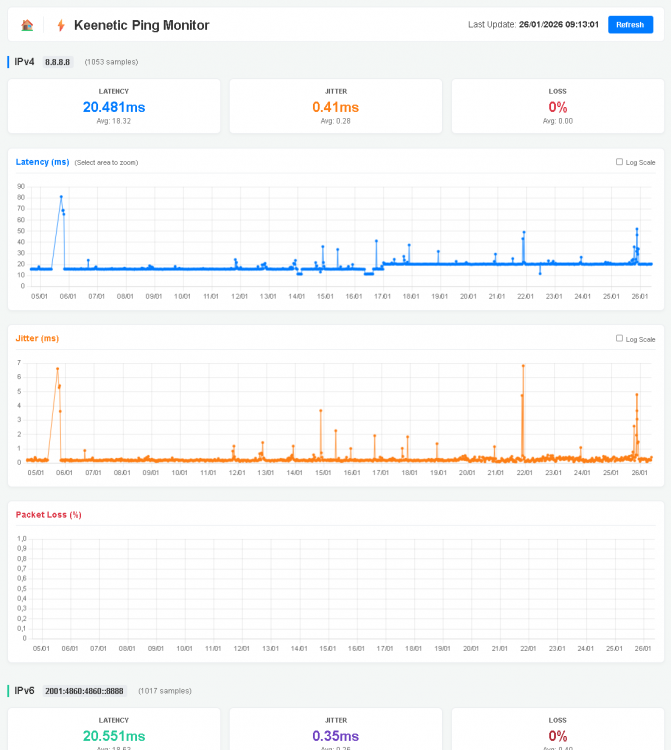
-
Entware Scripts for Keenetic router
matthew_eli posted a question in Community Support & Knowledge Exchange
Hello guys, I wrote 3 scripts to be used with Keenetic router with Entware installed and set. I tested them with my KN-1812 and all seems to work; I'd be glad to know your feedback and suggestions. Keenetic Firewall: https://github.com/mattheweli/keenetic-firewall Keenetic Pingtool: https://github.com/mattheweli/keenetic-pingtool Keenetic vnstat: https://github.com/mattheweli/keenetic-vnstat I'm available for any questions you may have -
No ipv6 on Unfiltered DNS profile
matthew_eli posted a question in Dev channel issues & test reports
Hi, I've a Titan KN-1812 and if I follow this procedure: https://help.keenetic.com/hc/en-us/articles/7248035195548-Creating-a-DNS-profile-without-filtering I have an unfiltered DNS profile (so I can choose any DNS I want) and I've the default WAN DNS, but not an ipv6 address (basically I fail the ipv6test.com). Instead, if I specify any DNS in any profile, I receive an IPv6 address. Basically in the first case (ufiltered DNS Profile), if I test a client in this page: https://dnscheck.tools/ I get no IPv6 address for my client In the latter case, I got an IPv6 address. I have IPv6 DNS tough in both cases. Is this an issue? Or am I doing something wrong? My ISP provide me a full Native IPv6 /48 pool of address -
matthew_eli changed their profile photo
-
No ipv6 on Unfiltered DNS profile
matthew_eli posted a question in Community Support & Knowledge Exchange
Hi, I've a Titan KN-1812 and if I follow this procedure: https://help.keenetic.com/hc/en-us/articles/7248035195548-Creating-a-DNS-profile-without-filtering I have an unfiltered DNS profile (so I can choose any DNS I want) and I've the default WAN DNS, but not an ipv6 address (basically I fail the ipv6test.com). Instead, if I specify any DNS in any profile, I receive an IPv6 address. Basically in the first case (ufiltered DNS Profile), if I test a client in this page: https://dnscheck.tools/ I get no IPv6 address for my client In the latter case, I got an IPv6 address. I have IPv6 DNS tough in both cases. Is this an issue? Or am I doing something wrong? My ISP provide me a full Native IPv6 /48 pool of address