
bobuzi
-
Posts
9 -
Joined
-
Last visited
Content Type
Profiles
Forums
Gallery
Downloads
Blogs
Events
Everything posted by bobuzi
-
Access from Internet su GUI using Public IP Address
bobuzi replied to bobuzi's question in Feature Requests
RMM is always in beta, it's slow, RMM is not available as a self-hosted instance on my private cloud. Access to the GUI is done through the Keenetic proxy service external of my infrastrucure. This type of usage is not desired. I will explore others solutions for access GUI. -
Access from Internet su GUI using Public IP Address
bobuzi replied to bobuzi's question in Feature Requests
"The connection is through keendns, through the priority provider, and in case of its disconnection, it automatically goes through the backup one." Ok, now it's more clear, but on my scenario, I need to access via GUI to all WAN and manage the device. This is all. -
Access from Internet su GUI using Public IP Address
bobuzi replied to bobuzi's question in Feature Requests
I agree with you that this type of access via IP and HTTP can be insecure. However, in complex deployments (for example, 3 WAN connections with 3 static public IPs), we need the ability to access the device through any of those connections. Using Keenetic KeenDNS works well in environments with a limited number of installed routers. But how does KeenDNS handle a scenario with 3 WANs and 3 public IPs? FQDN associated to on of 3 IPs... The requirement is to have selective access and full control of the device depending on the active WAN or reachable public IP. In addition, for each router it is necessary to generate a dedicated KeenDNS FQDN and maintain a complete inventory. Now imagine managing 100 routers, each with 2 or 3 public IP addresses. My interest is to access the GUI directly via IP address, preferably using HTTPS. Now via HTTP and IP work fine. -
Access from Internet su GUI using Public IP Address
bobuzi replied to bobuzi's question in Feature Requests
The only way it's enable GUI on HTTP port and add Firewall rules to permit only desired IP an block all others IPs. HTTPS work only whit FQDN and Certificate. Not whit IP. -
Access from Internet su GUI using Public IP Address
bobuzi replied to bobuzi's question in Feature Requests
The Keen DNS, it's ok, but not for my installations. I need access via IP, on all Public IP of all Interfaces. -
Add configurable loopback interfaces and use in outbound NAT
bobuzi replied to bobuzi's question in Feature Requests
Update Via CLI interface Dummy0 (to create Dummy0 interface and after add IP address x.x.x.x) ip static Home x.x.x.x (to NAT Home Segment using Source x.x.x.x) -
Access from Internet su GUI using Public IP Address
bobuzi replied to bobuzi's question in Feature Requests
Hi Leshiyart, tnx. Can you share more details on this solution? "DDNS + ip http ssl acme get "DDNS name" I m new on Keenetic OS. -
Add configurable loopback interfaces and use in outbound NAT
bobuzi posted a question in Feature Requests
Add configurable loopback interfaces and use in outbound NAT. Example: lo01 >>> IP address xxx.xxx.xxx.xxx Outbound NAT source lo01 IP = xxx.xxx.xxx.xxx -
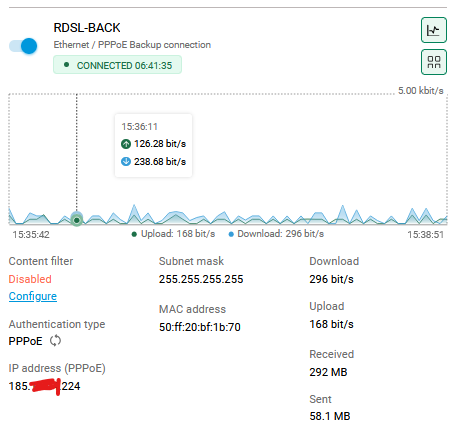
Access from Internet su GUI using Public IP Address, like https://185.xxx.xxx.224 where IP 185.xxx.xxx.224 is an IP of Router (any interface) .