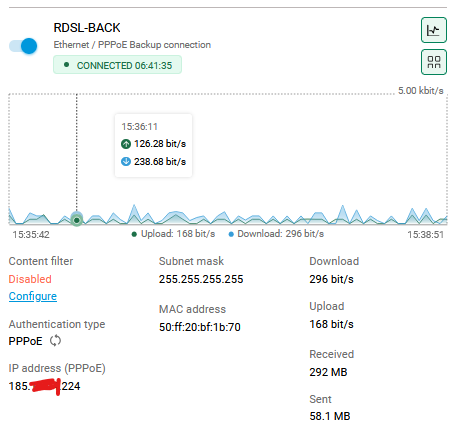
bobuzi Posted Tuesday at 01:41 PM Posted Tuesday at 01:41 PM Access from Internet su GUI using Public IP Address, like https://185.xxx.xxx.224 where IP 185.xxx.xxx.224 is an IP of Router (any interface) . Quote
0 Leshiyart Posted Thursday at 05:13 AM Posted Thursday at 05:13 AM (edited) https work with ssl certificate, use keendns name or use DDNS + ip http ssl acme get "DDNS name" Edited Thursday at 05:15 AM by Leshiyart Quote
0 bobuzi Posted Thursday at 07:12 AM Author Posted Thursday at 07:12 AM Hi Leshiyart, tnx. Can you share more details on this solution? "DDNS + ip http ssl acme get "DDNS name" I m new on Keenetic OS. Quote
0 Eug Family Posted yesterday at 06:19 AM Posted yesterday at 06:19 AM (edited) Register the YourName.keendns.pro in the Keen DNS. Connect to the web interface using the specified name (YourName.keendns.pro). The main thing is to set a strong password. Edited yesterday at 06:20 AM by Eug Family Quote
0 bobuzi Posted yesterday at 08:00 AM Author Posted yesterday at 08:00 AM The Keen DNS, it's ok, but not for my installations. I need access via IP, on all Public IP of all Interfaces. Quote
0 Eug Family Posted yesterday at 08:11 AM Posted yesterday at 08:11 AM Then try to grant access from external IPs to the desired one on the interface in the firewall Quote
0 bobuzi Posted yesterday at 08:21 AM Author Posted yesterday at 08:21 AM The only way it's enable GUI on HTTP port and add Firewall rules to permit only desired IP an block all others IPs. HTTPS work only whit FQDN and Certificate. Not whit IP. Quote


Question
bobuzi
Access from Internet su GUI using Public IP Address, like https://185.xxx.xxx.224 where IP 185.xxx.xxx.224 is an IP of Router (any interface) .
6 answers to this question
Recommended Posts
Join the conversation
You can post now and register later. If you have an account, sign in now to post with your account.
Note: Your post will require moderator approval before it will be visible.